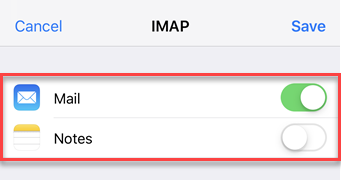




General Setup
-
Open Settings.

-
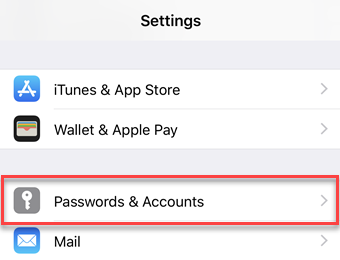
1. Choose Passwords & Accounts.
-
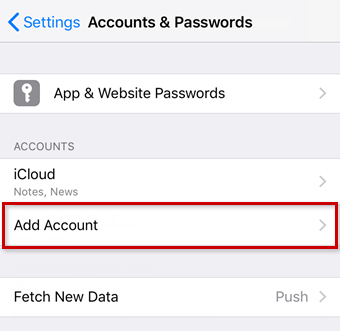
Tap Add Account.
-
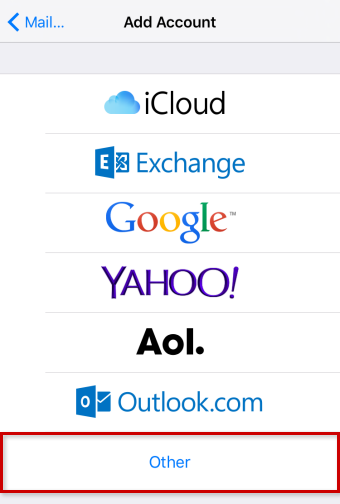
2. Choose Other.
-
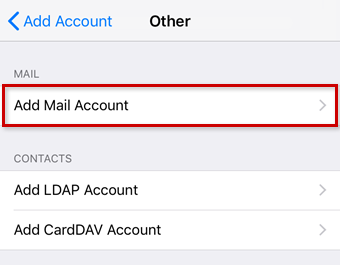
3. Choose Add Mail Account.
-
Enter your account details and tap Next.

| FIELD | INPUT |
|---|---|
| Name | The name others will see when receiving your mail. |
| Ex. [email protected] | |
| Password | Your Password |
| Description | Enter a description for your account here. This information is only used to better differentiate your account from one another. |
Server Setup
- Receive your mail using the IMAP/SMTP (recommended) or POP protocol by entering the respective hostname for Incoming Mail Server.
-
Enter the remaining data and tap Next.
-
Incoming Email Server Details (IMAP) FIELD INPUT Hostname imap.emailpnl.com Username Ex. [email protected] Password Your Password Outgoing Email Server Details (SMTP) FIELD INPUT Hostname smtp.emailpnl.com Username Ex. [email protected] Password Your Password 
| FIELD | INPUT |
|---|---|
| Hostname | pop.emailpnl.com |
| Username | Ex. [email protected] |
| Password | Your Password |